Twisted Tower System Requirements
Check your PC before the Steam demo or launch download.
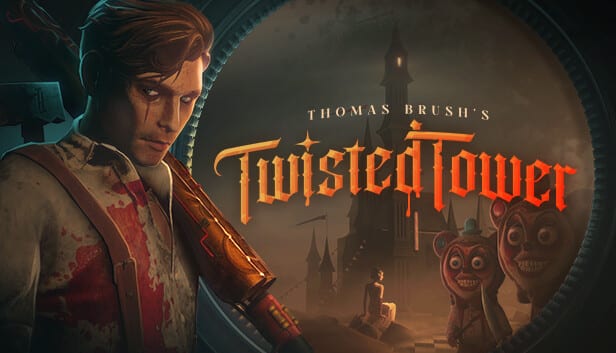
Use this Twisted Tower system requirements page to decide whether your PC is ready for the free demo and the planned August 18, 2026 Steam release from Atmos Games and 3D Realms. Specs below mirror the Steam store listing and may update if the developer revises them—always recheck Steam on download day.
Minimum specs
- OS: Windows 10 64-bit
- Processor: Intel Core i5-6600 / AMD Ryzen 5 2600
- Memory: 8 GB RAM
- Graphics: GeForce GTX 670 / Radeon RX 570 / Intel Arc B580 class
- DirectX: Version 11
- Storage: 8 GB available space
Recommended specs
- OS: Windows 11
- Processor: Intel Core i5-8400 / AMD Ryzen 5 2600
- Memory: 16 GB RAM
- Graphics: GeForce GTX 1660 / Vega FE class
- DirectX: Version 11
- Storage: 8 GB available space
How to interpret the list
Minimum means you should expect to lower shadows, reflections, and resolution scale to keep combat readable. Recommended is the happier path for stable frame times when mascot packs and particle-heavy toy weapons overlap. Twisted Tower is built in Unity; first-run shader compilation stutter can appear in demos—give the first session a few rooms before judging performance.
Demo versus retail footprint
The demo is smaller and lighter to evaluate. If the demo already stutters on minimum hardware, fix drivers and background overlays before launch week. Storage listed at 8 GB is the Steam baseline—leave headroom for Windows pagefile and future patches.
Pre-flight checklist
- Update GPU drivers.
- Disable aggressive RGB/overlay hooks if they hitch.
- Set power plan to high performance on laptops.
- Confirm bindings on Controls.
- Install from the Demo hub.
- Continue with Getting Started.
Related pages
Tools Hub, Release Date, Demo Walkthrough, Combat Tips, Official Links. Twisted Tower is single-player only—no multiplayer bandwidth concerns.
CPU notes
The listed i5-6600 / Ryzen 5 2600 class CPUs are enough for the demo’s early floors when background apps behave. Close heavy browsers and streaming stacks if frame times hitch during particle-heavy secondary dumps. Twisted Tower is not a competitive esports title, but combat readability still needs stable pacing.
GPU notes
GTX 670 / RX 570 / Arc B580 class minimums imply older cards should drop expensive reflections and shadows first. GTX 1660 class recommended GPUs should target the developer’s intended look with fewer compromises. If you sit between those bands, begin on medium, raise one setting at a time, and judge during mascot packs—not empty lobbies.
RAM, storage, and thermals
8 GB RAM meets minimum yet leaves little room for Chrome plus Discord plus recording. 16 GB recommended is the comfortable creative-PC setup. An 8 GB install size still wants free SSD headroom. Laptops should avoid thermal throttling mid-grapple by using a flat surface and a performance power plan.
Validation loop
- Install demo.
- Play ten minutes on defaults.
- Check GPU usage and CPU spikes.
- Adjust.
- Only then judge gunfeel via Combat Tips.
- Continue into Demo Walkthrough once the frame time is boringly stable.
Capture cards and overlays
If you record content, budget GPU overhead separately from the Steam recommended line. A GTX 1660 that plays fine may still hitch when an encoder and webcam overlay join the party. Trial your capture stack during the demo week, not on launch night.
Launch-week recheck
Steam may revise the Arc B580 class minimum line or storage footprint before August 18, 2026. Recheck the store page on download day, then return here only for interpretation tips. Pair the final numbers with the Launch Checklist so drivers, free SSD space, and controls are settled before the unlock timer hits zero.
Frequently Asked Questions
Quick answers to the most common questions.
Can I run Twisted Tower on Windows 10?
Yes. Windows 10 64-bit is the listed minimum OS.
Is 8 GB RAM enough?
It meets minimum. 16 GB is recommended for smoother multitasking and streaming overlays.
Does it support Linux or macOS at launch?
Steam lists Windows requirements. Treat PC Windows as the supported launch path.
Where are console specs?
Launch focus is Steam PC; console versions are not confirmed for day one.